
Volleyball Practice Planner

Build your session in minutes. Run it from the court.No clipboard. No paper. Just your phone and your team.

Build. Run. Recap. Repeat.

BUILD

Build your practice in minutes
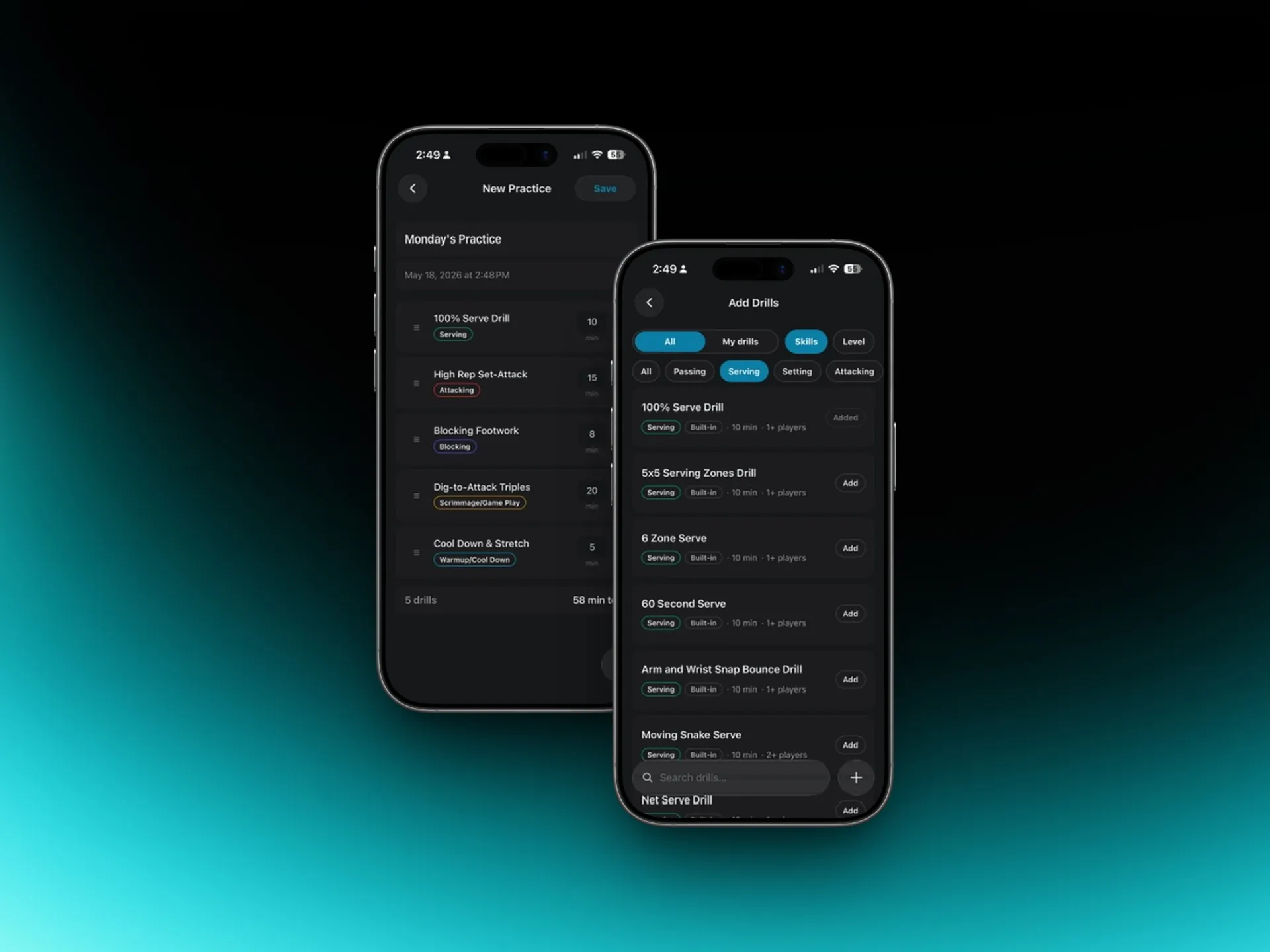
SoloCoach practice plan builder with drill library

[SCREENSHOT: Drill picker]

Open SoloCoach, tap New Practice. A library of 149 drills is organized by skill — passing, serving, attacking, blocking, defense. Tap any drill to preview it: player count, duration, what it works on. Tap again to add it to your session. Reorder, remove, adjust until the plan is right. Save.

The whole thing takes a few minutes — not the hour it used to take.

RUN

Run your practice from the court

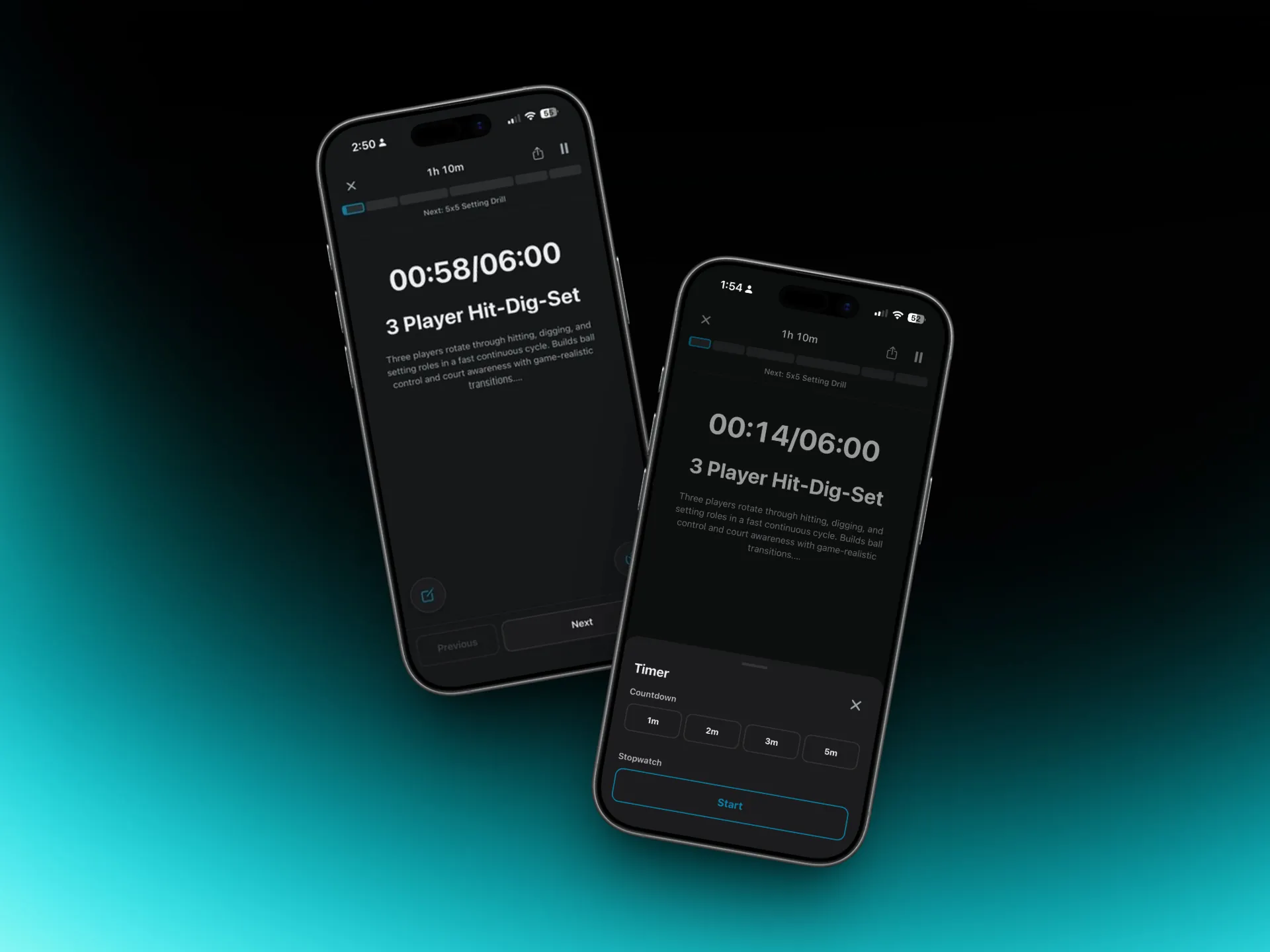
SoloCoach live practice run with per-drill timer

[SCREENSHOT: Run screen]

This is where SoloCoach earns its place in your pocket.

Tap Run Practice when you walk onto the court. A full-screen run view takes over: current drill name, a live countdown timer, next drill already queued. When the timer ends, tap to advance. The app conducts the session.

No clipboard. No printout folded in your pocket. No losing your place mid-drill. You're coaching, not managing a document.

RECAP

Recap and share in one tap

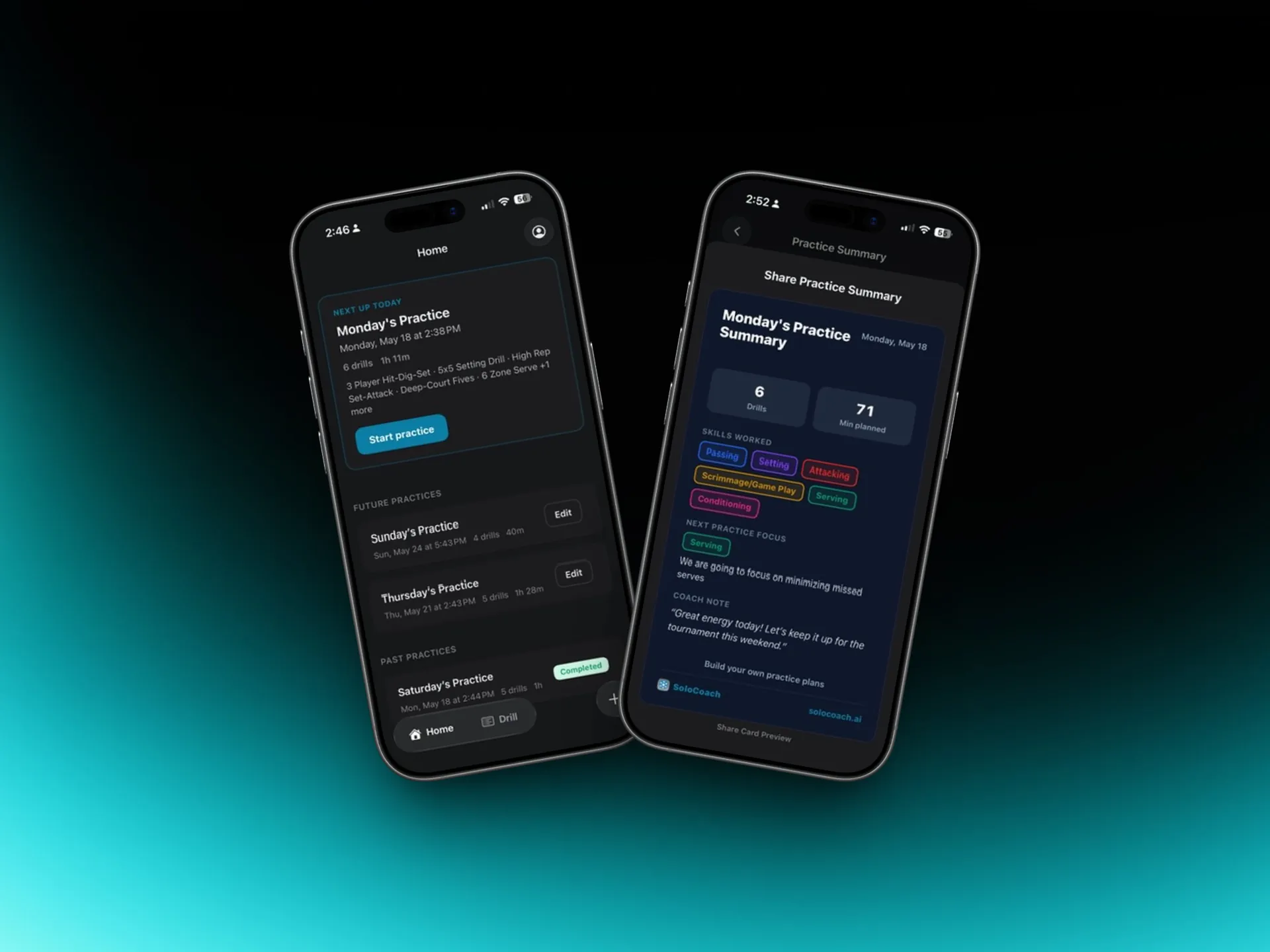
SoloCoach practice summary and shareable recap card

[SCREENSHOT: Recap card]

When practice ends, SoloCoach shows you everything: drills run, total time on court, skill breakdown by category.

Rate each drill with a thumbs up or down — this builds your personalized library over time, surfacing what works for your team.

Then share. A recap card — drill list, skill focus, total time, space for a coach note — is designed to screenshot and drop straight into your parent or team group chat. One tap. Done before you leave the gym.

A spreadsheet is a document.
SoloCoach is a session tool.

Documents don't run practices. SoloCoach does.

149 Drills. Every Skill. Every Level.

The SoloCoach drill library is organized by skill pillar so you can build focused sessions or mix across categories. Every drill includes player count, duration, and skill-specific metadata — so you know exactly what you're adding before it goes in the plan.

Every drill in the library is available to browse and add when building your session. Pro coaches can also rate drills to build a personalized library over time.

The More You Use It, the More It Knows

SoloCoach isn't just a planner. It's a coaching log that gets more useful every week.

Practice History

Every session you run is logged automatically. Your full coaching history — drills, duration, skill focus — is right there whenever you need it.

Your Personal Drill Library

Rate drills after every practice (thumbs up or down). Over time, SoloCoach surfaces your highest-rated drills and filters out the ones that didn't land with your team.

Skill Coverage Tracking

See which skills you've been drilling and which you've been neglecting. Know before the next tournament whether your team has had enough time on serving, defense, or transition.

What a SoloCoach Practice Session Looks Like

Here's an example of a session a coach might build in SoloCoach — pulled from the drill library in a few minutes. This is the same view coaches see on shared plan links.

Serve Receive + Transition

  • 90 min total
  • 8 drills

Planned by Coach · Club

  1. 1

    Dynamic Stretch + Pepper

    15 min

    Warmup/Cool Down
  2. 2

    3-Person Serve Receive Rotation

    10 min

    Passing
  3. 3

    Seam Coverage Drill

    8 min

    Passing
  4. 4

    Pressure Passing Game

    7 min

    Passing
  5. 5

    Dig-Set-Attack Sequence

    10 min

    Attacking
  6. 6

    6v6 Transition Game

    15 min

    Scrimmage/Game Play
  7. 7

    Live Ball Scrimmage

    20 min

    Scrimmage/Game Play
  8. 8

    Static Stretch + Debrief

    5 min

    Warmup/Cool Down
Junior High — Passing Fundamentals (60 min)View plan

Passing Fundamentals

  • 60 min total
  • 8 drills

Planned by Coach · Middle school

  1. 1

    Dynamic Movement + Partner Toss

    10 min

    Warmup/Cool Down
  2. 2

    Wall Passing

    7 min

    Passing
  3. 3

    Partner Bump Pass Lines

    8 min

    Passing
  4. 4

    Coach-Fed Platform Passing

    5 min

    Passing
  5. 5

    Underhand Serving Progression

    10 min

    Serving
  6. 6

    Serving Accuracy Game

    5 min

    Serving
  7. 7

    3v3 Mini Volleyball

    10 min

    Scrimmage/Game Play
  8. 8

    Static Stretch + Team Circle

    5 min

    Warmup/Cool Down

Be First When SoloCoach Launches

SoloCoach is in early access. Join the waitlist to get notified at launch, unlock early access pricing, and be the first coaches to build and run practices with SoloCoach.

No spam. Unsubscribe anytime.

Explore the drill library by skill: Passing Drills · Hitting Drills · Setting Drills · Defense Drills · Blocking Drills · Serving Drills

Volleyball Practice Planner — Common Questions

What is a volleyball practice planner?

A volleyball practice planner is a tool that helps coaches organize drills into a structured session before stepping onto the court. SoloCoach goes further — it also runs the session live with a drill-by-drill timer, so coaches can keep their phone in hand instead of a clipboard.

How does SoloCoach's practice planner work?

Coaches open SoloCoach, tap New Practice, and build a session by browsing a library of 149 drills organized by skill — passing, serving, attacking, blocking, and defense. Tap a drill to add it, reorder as needed, save. When practice starts, tap Run Practice and a live timer takes over — current drill on screen, next drill queued, no paper required.

What is included in the SoloCoach drill library?

SoloCoach includes 149 platform drills organized by skill pillar: passing, serving, attacking, blocking, and defense. Each drill includes player count, duration, and skill focus metadata so coaches can build sessions appropriate for their team's level and available court time.

How do I plan a volleyball practice?

A good volleyball practice plan includes a warm-up, individual skill work, team drills, a competitive element, and a cool-down. In SoloCoach, you build this by selecting drills from the library and arranging them in sequence. The app tracks total session time as you add drills so you never over-plan your court time.

What should a volleyball practice plan include?

Every volleyball practice plan should include a warm-up, at least one individual skill drill, at least one team or system drill, a competitive element such as a scrimmage or pressure drill, and a cool-down. Each drill should have clear setup, player count, duration, and coaching cues so the session runs without confusion.

Can I reuse or duplicate practice plans?

Yes. SoloCoach saves every practice to your history. Pro coaches can duplicate a previous plan and modify it for the next session, or start from a saved template. Your drill ratings build a personalized library over time, so your best sessions are easy to find and reuse.

Is SoloCoach free?

SoloCoach is currently in early access. Join the waitlist to be among the first coaches to use the app at launch. Early access members will receive exclusive launch pricing.

    Volleyball Practice Planner | SoloCoach